
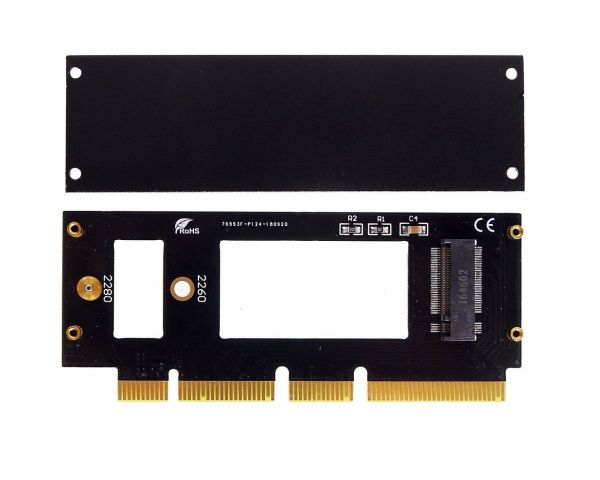

M.2 (NGFF) SSD to PCIe 3.0 X16 Card for Samsung 960 970 EVO
M.2 (NGFF) SSD to PCIe 3.0 X16 Card for Samsung 960 970 EVO
M.2 stands for Next Generation Form Factor which is invented for PCI-SIG by Intel and it is developed for flat and high-efficiency equipment such as Ultrabook or Tablet PCs. It is a natural transition from the Mini Card and Half Mini Card to a smaller form factor in both size and volume which supports multiple function add-in cards/modules including: Wi-Fi, Bluetooth, global navigation satellite systems, near field communication, Hybrid digital radio, wireless gigabit alliance (WiGig), wireless wide area network and solid-state storage devices. Also adds functionality to USB 3.0, display Port, SDIO and SSD-PCIe.
Functions
- Allows user to use standard PCIE base M.2 SSD to PCIe x16 in the Desktop
- Transparent to the operating system and does not require any software drivers
Specifications
- M.2 SSD to PCIe X16 adapter
- M.2 Specification Revision 0.9-3
- Serial ATA Spec. Reversion 3.2
- Support 2230/2242/2260/2280 type M.2 Card dimension.
- Support M.2 Socket 3 PCI-e-based SSD Module
- Support M.2 Key M Card Type
- Heat Sink for SSD module
Support NVME M.2(NGFF) PCI-e SSD
- XP941 (MZHPU128HCGM MZHPU256HCGL MZHPU512HCGL)
- SM951 PCIE-AHCI (MZHPV128HDGM MZHPV256HDGL MZHPV512HDGL)
- SM951 PCIE-NVME ( MZVPV128HDGM MZVPV256HDGL MZVPV512HDGL)
- PM951 PCIE-NVME ( MZFLV128HCGR MZFLV256HCHP MZFLV512HCJH)
- 950 PRO (MZVKV256 MZVKV512) ,SM961, PM961
NOTE: M.2 nVME SSD only can work in WIN10 (Supported motherboard with PCIe 3.0:X99 X97 motherboard with Intel NUC 5th Gen CPU, pre-cylindrical Mac Pro.)
Micro SATA Cables PN # M2-1505-X16
| Part # | M2-1505-X16 |
|---|---|
| Bar Code (UPC) | 646791003181 |
We are proud to offer an everyday volume discount program. Simply enter the Promo Code: VOLUME in the Cart to receive the following savings.
Save when you spend:
- Spend $300.00+, save 5% on your order
- Spend $500 or more and save 10% on your order
- Enjoy Free Shipping on all domestic US orders over $500
- Discounts will be applied with entry of Promo Code "VOLUME" in the Discount Codes section of the shopping cart
- Discounts may not be used with other promotions
- Discounts are based on order subtotals (before tax & shipping)
- Discounts are on the current total order amount only
Don't see exactly what you need?
Our business is built upon our expertise and our ability to respond to special requests. Our philosophy is that "today's special order may become tomorrow's best seller". In fact special orders are part of how we've become the "go-to" supplier for hard to find cables, connectors and adapters.